E-Sign Desk
A self-hosted e-signature tool. Upload a PDF, drag signature and text fields onto it, and the system handles multi-party signing in order and stamps a final document — no account needed for the people signing.
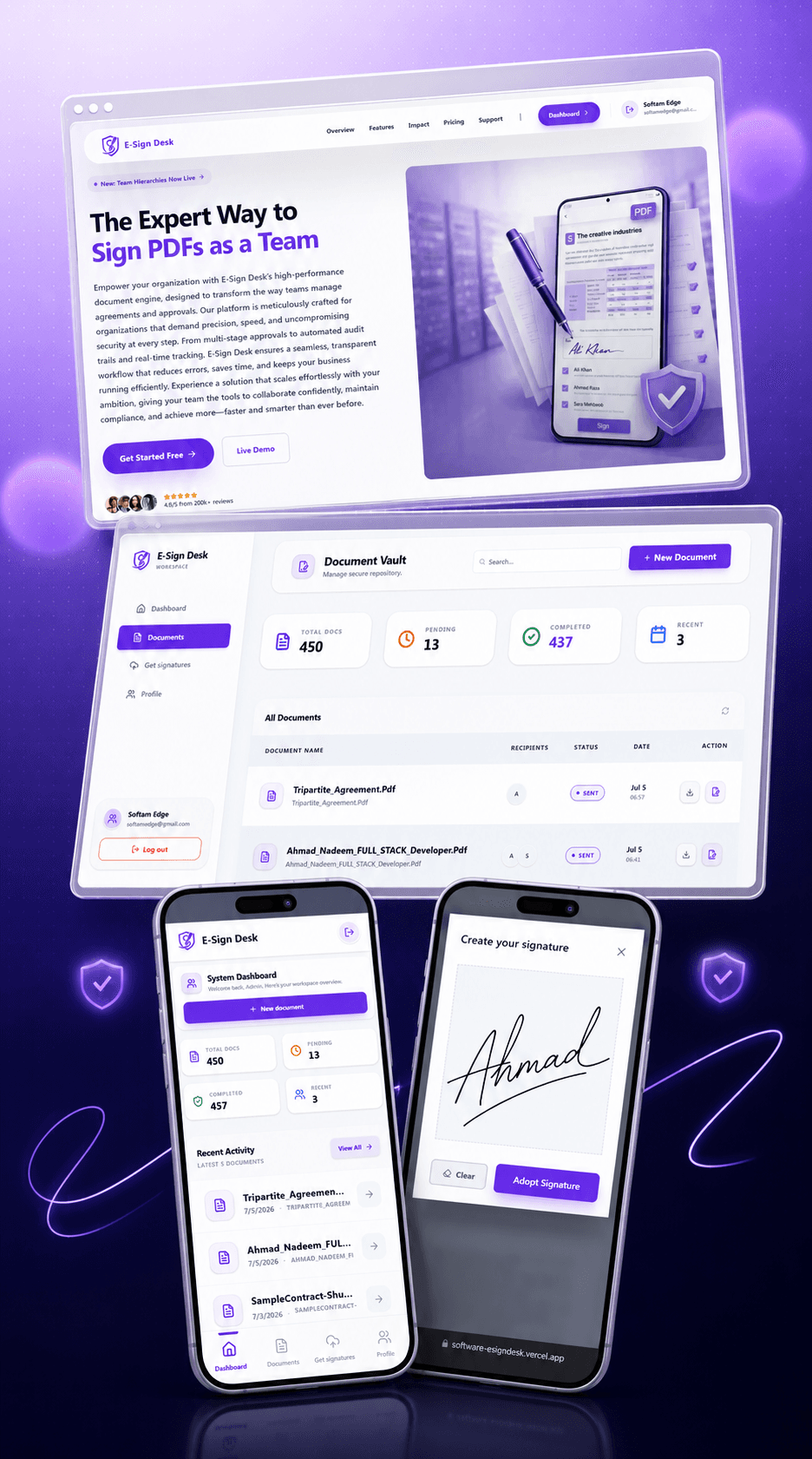
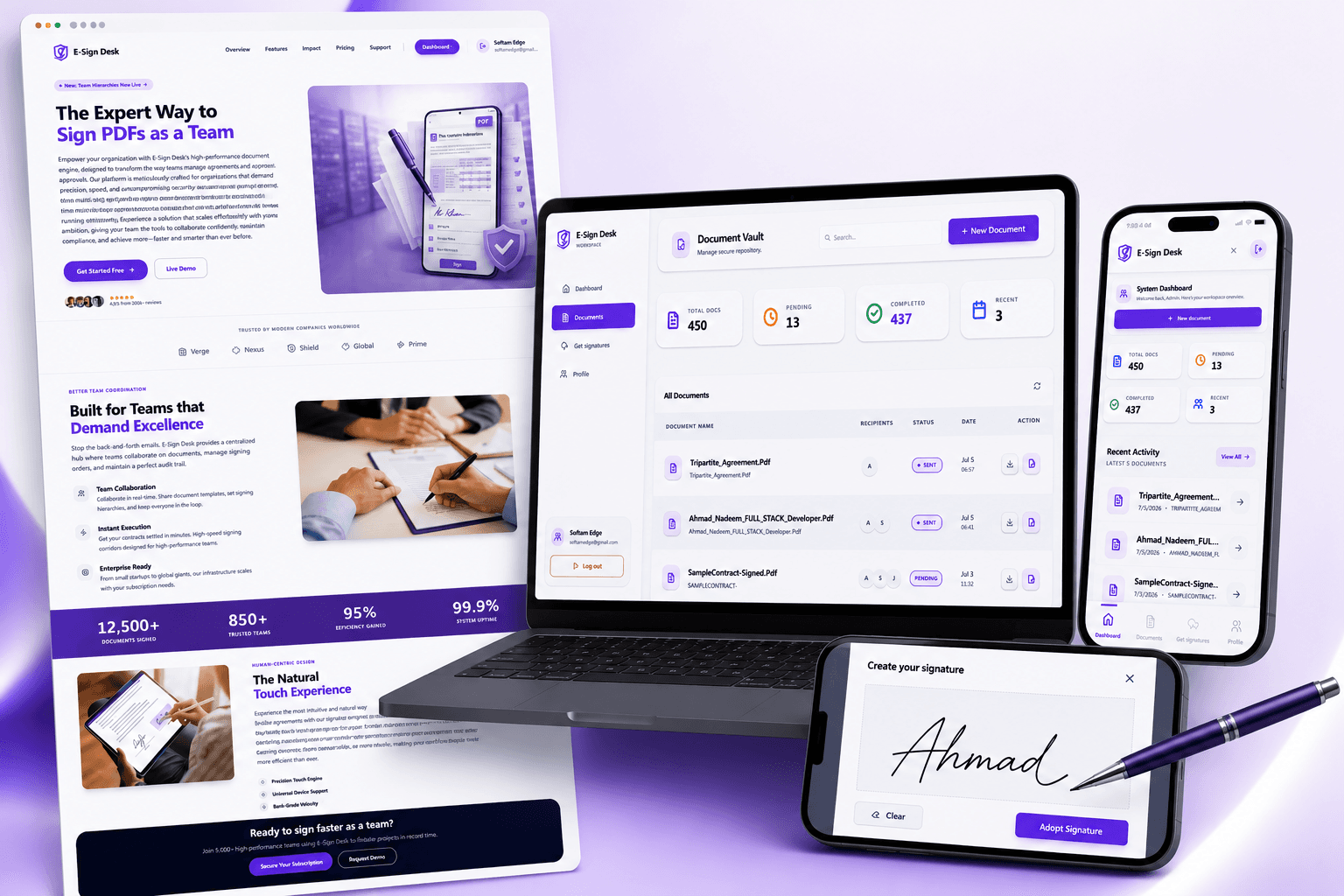
The problem E-Sign Desk solves.
Getting more than one person to sign something the old way is a hassle — print, sign, scan, email the next person, hope they don't forget. Even basic e-signing tools fall apart once you need multiple signatures, because someone still has to track who's signed and chase whoever hasn't.
E-Sign Desk handles the whole thing automatically: upload the document once, set who signs and in what order, and the system sends invites, waits, only pings the next person once it's actually their turn, and emails everyone the final stamped PDF the second the last signature lands.
It's four separate apps — a Node/Express API, the customer-facing React app, an internal admin console, and a Next.js marketing site — so the public site, the paid product, and the internal tools can each get built and deployed on their own schedule.
End-to-end ownership.
I built E-Sign Desk across all four apps — the drag-and-drop field editor, the signing-order engine, live PDF generation, and Stripe billing. The hard part was turning freeform field placement into a PDF that's correctly scaled no matter what device it started on.
Four-app architecture: Express API, customer React app, Super Admin console, Next.js marketing site
Percentage-based field positioning so signature fields render correctly at any screen size
Sequential signing engine enforced server-side, with automatic hand-off emails between signers
Live PDF baking with pdf-lib — signatures and typed text stamped onto the original document on demand
Stripe billing with lazy customer creation, webhook + manual reconciliation, and duplicate-payment prevention
Tools of choice.
What makes E-Sign Desk different.
Drag-and-Drop Field Editor
Position signature, initials, date, and text fields anywhere on a rendered PDF using percentage-based coordinates that scale correctly on any device.
Sequential Multi-Party Signing
Only the next signer in line is notified — the backend enforces signing order server-side, not just in the UI.
Automatic Hand-Off
The instant one signer finishes, the next gets an email automatically; when everyone's done, the final PDF ships to all parties.
Live PDF Baking
Signatures and typed values are stamped onto the real PDF on demand with pdf-lib — tightly cropped, correctly scaled, with a signer caption underneath.
Stripe Subscription Billing
Lazy customer creation, webhook and manual payment reconciliation, and duplicate-payment prevention baked into the billing flow.
Super Admin Console
A separate internal app to see every paying company, their subscription status and revenue, and to suspend or delete accounts safely.
What it achieved.
“Positioning fields by percentage instead of pixels is a small decision, but it's the difference between signatures landing in the right spot on any screen versus drifting off on a phone. Most tools in this space get that wrong.”

Like what you see?
Check out more of my work, or just reach out if you want to talk about a project.